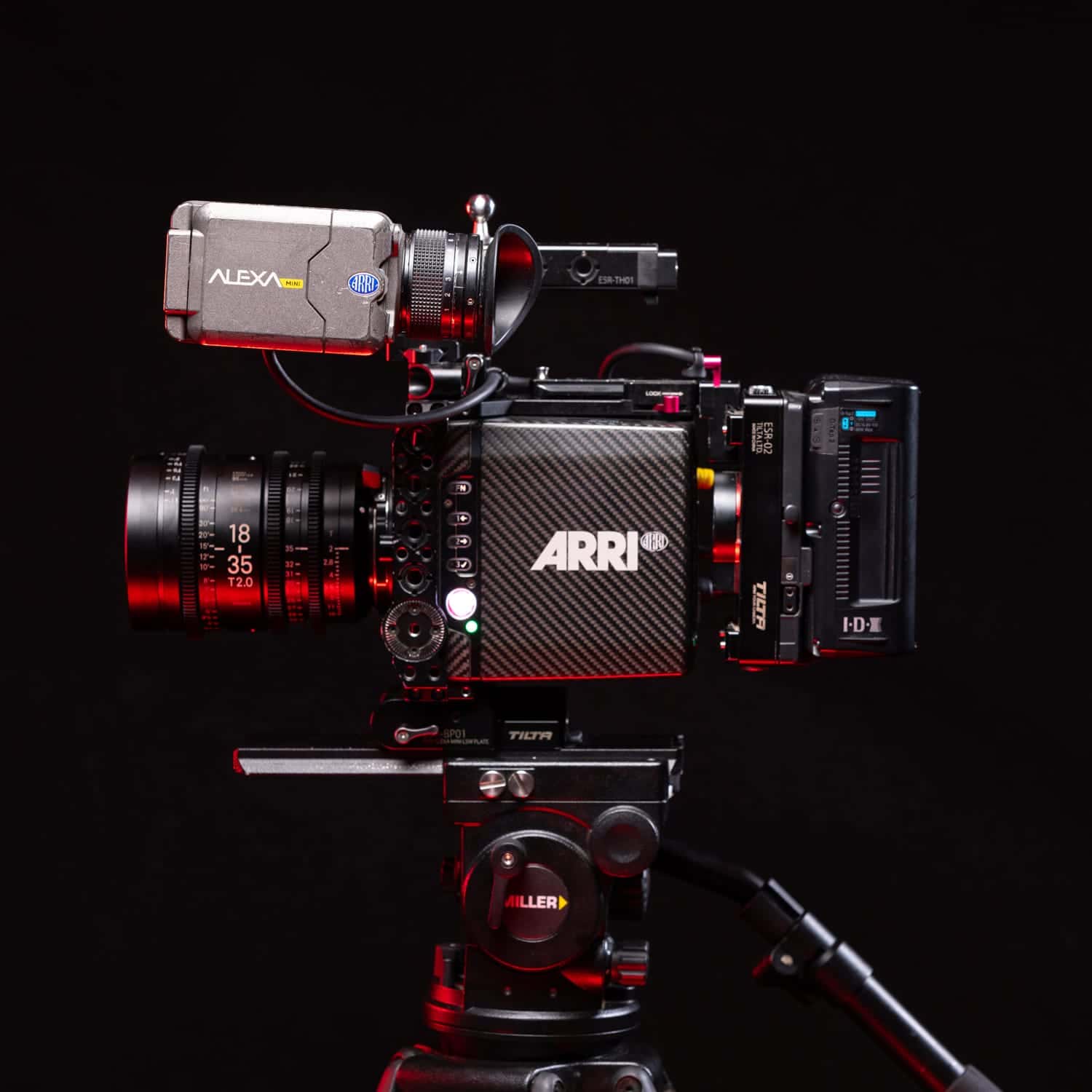
// PRLX Gear Hire — page hero with a gear photo + intro.
function HireHero({ onBrowse }) {
  const { Button, StatusDot } = window.PRLXDesignSystem_b1b8b9;
  const { Icon, useViewport } = window;
  const { isMobile } = useViewport();

  return (
    <section data-screen-label="Hire hero" style={{ position: "relative", overflow: "hidden", background: "var(--prlx-ink)",
      display: "grid", gridTemplateColumns: isMobile ? "1fr" : "1.05fr 0.95fr", alignItems: "stretch",
      borderBottom: "1px solid rgba(255,255,255,0.10)" }}>

      {/* copy */}
      <div style={{ display: "flex", flexDirection: "column", justifyContent: "flex-end",
        padding: isMobile ? "88px 20px 44px" : "150px 48px 64px", order: isMobile ? 2 : 1 }}>
        <div style={{ marginBottom: 20 }}><StatusDot status="live" label="Darwin · Hobart" /></div>
        <h1 style={{ fontFamily: "var(--font-display)", fontWeight: 800, textTransform: "uppercase", letterSpacing: "-0.02em",
          lineHeight: 0.9, margin: 0, fontSize: isMobile ? "clamp(44px, 13vw, 72px)" : "clamp(56px, 6vw, 104px)", color: "#fff" }}>
          Gear<br />hire.
        </h1>
        <p style={{ fontFamily: "var(--font-body)", fontWeight: 300, fontSize: isMobile ? 15 : 17, lineHeight: 1.6,
          color: "var(--prlx-graphite-300)", maxWidth: "44ch", marginTop: 22 }}>
          Cinema cameras, fast glass, lighting and grip — the same kit we shoot our own work on. Build a quote, send it over, and we'll sort the rest. Crew and operators available on request.
        </p>
        <div style={{ display: "flex", gap: 14, marginTop: 30, flexWrap: "wrap" }}>
          <Button variant="primary" size={isMobile ? "md" : "lg"} iconRight={<Icon name="ArrowDown" size={16} />} onClick={onBrowse}>
            Browse the kit
          </Button>
        </div>
      </div>

      {/* photo — desktop only; hidden on mobile for a cleaner stacked layout */}
      {!isMobile && (
      <div style={{ position: "relative", minHeight: 560, order: 2, overflow: "hidden", background: "#0a0a0b" }}>
        <img src="../../assets/hire/alexa-mini/alexa-mini-01.jpg" alt="ARRI Alexa Mini hire kit"
          style={{ position: "absolute", inset: 0, width: "100%", height: "100%", objectFit: "cover" }} />
        <div style={{ position: "absolute", inset: 0, background: "linear-gradient(to right, rgba(10,10,11,0.55), rgba(10,10,11,0) 35%)" }} />
        <div style={{ position: "absolute", bottom: 18, right: 18, fontFamily: "var(--font-mono)", fontSize: 11, letterSpacing: "0.08em", color: "var(--prlx-graphite-300)", textShadow: "0 1px 6px rgba(0,0,0,0.8)" }}>
          ● ARRI ALEXA MINI · SUPER 35
        </div>
      </div>
      )}
    </section>
  );
}

// Hire info strip — how it works.
function HireInfo() {
  const { Icon, useViewport } = window;
  const { isMobile } = useViewport();
  const steps = [
    { icon: "MousePointerClick", k: "Build a quote", d: "Add gear to your quote and pick day, weekend or week rates." },
    { icon: "Send", k: "Send it over", d: "Drop your dates and details. We confirm availability fast." },
    { icon: "Truck", k: "Collect or delivered", d: "Pickup from base or we deliver to set. Operators optional." },
    { icon: "ShieldCheck", k: "Covered", d: "Production insurance or a current COI required for high-value kit." },
  ];
  return (
    <section style={{ background: "var(--prlx-ink)", padding: isMobile ? "44px 20px" : "56px 32px", borderBottom: "1px solid rgba(255,255,255,0.10)" }}>
      <h2 style={{ fontFamily: "var(--font-display)", fontWeight: 800, textTransform: "uppercase", letterSpacing: "-0.01em", fontSize: isMobile ? 26 : 34, lineHeight: 1, color: "#fff", margin: "0 0 32px" }}>
        How hire works
      </h2>
      <div style={{ display: "grid", gridTemplateColumns: isMobile ? "1fr 1fr" : "repeat(4, 1fr)", gap: isMobile ? 20 : 32 }}>
        {steps.map((s, i) => (
          <div key={s.k}>
            <div style={{ display: "flex", alignItems: "center", gap: 10, marginBottom: 12 }}>
              <span style={{ fontFamily: "var(--font-mono)", fontSize: 11, color: "var(--prlx-graphite-500)" }}>0{i + 1}</span>
              <span style={{ color: "var(--accent)" }}><Icon name={s.icon} size={18} /></span>
            </div>
            <div style={{ fontFamily: "var(--font-display)", fontWeight: 800, textTransform: "uppercase", letterSpacing: "-0.01em", fontSize: isMobile ? 16 : 19, color: "#fff", marginBottom: 8 }}>{s.k}</div>
            <p style={{ fontFamily: "var(--font-body)", fontWeight: 300, fontSize: 13, lineHeight: 1.5, color: "var(--prlx-graphite-400)", margin: 0 }}>{s.d}</p>
          </div>
        ))}
      </div>
    </section>
  );
}
// Temporary notice strip — e.g. a location's hire kit being unavailable.
// Remove this component (and its <HireNotice /> in hire.html) when no longer needed.
function HireNotice() {
  const { Icon, useViewport } = window;
  const { isMobile } = useViewport();
  return (
    <div style={{ background: "var(--prlx-graphite-900)", borderBottom: "1px solid rgba(255,255,255,0.10)",
      padding: isMobile ? "14px 20px" : "15px 32px", display: "flex", alignItems: "center", gap: 12 }}>
      <span style={{ color: "var(--accent)", display: "inline-flex", flexShrink: 0 }}><Icon name="Info" size={17} /></span>
      <p style={{ fontFamily: "var(--font-body)", fontSize: isMobile ? 13 : 14, lineHeight: 1.5, color: "var(--prlx-graphite-200)", margin: 0 }}>
        <strong style={{ fontWeight: 600, color: "#fff" }}>Hobart rentals are temporarily unavailable.</strong> Our hire kit is currently Darwin-based — if you're shooting in Hobart, get in touch and we'll see what we can arrange.
      </p>
    </div>
  );
}
Object.assign(window, { HireHero, HireInfo, HireNotice });